CollabPals extension
Free for every CollabPals creator
All of CollabPals,
inside YouTube.
Your channel numbers, video ideas and shoutouts, right inside YouTube. Every search shows what is working. Shoutouts get typed in for you, and you press the button.
 You always press the final button. We never post for you.
Huge shoutout to @MakerMandy, one of my favorite creators right now. Go give the channel a follow, you will not regret it.
You review it, then press Post yourself.
You accept a shoutout on CollabPals CollabPals opens the right YouTube page Your shoutout gets typed in for you You read it over and press Post yourself
Everything it adds to YouTube
The CollabPals extension is free for YouTube creators on Chrome, Edge and Brave. It adds channel analytics, video research, search insights and writing help to YouTube and YouTube Studio, and fills in your shoutouts. It never posts for you.
 Swipe to see all of it
Your channel, every time you open a tab
One thing worth doing today, waiting for you the moment you open a tab. Underneath it sit your subscriber and view numbers, a trend line across your recent uploads, and how those videos are doing against your own usual. Your shortcuts and search box stay exactly where you expect them, signed in or not. The channel numbers appear once you sign in to CollabPals.

Help with the title and description, right where you type them
A score out of one hundred sitting next to the fields as you edit, and a plain checklist of what is missing one click away. Ask for title ideas or a written description and it fills the field in place, with the cost shown before you click. You still press Save.
 Swipe to see all of it
See what is actually working
Most results get a quiet line showing how fast they are picking up views. When we already know a video is beating what its own channel normally gets, it is marked with a multiplier, so a real winner is easier to spot than to guess at.

The numbers under the title
Views, how old the video is, how quickly it is gaining views, and engagement whenever the creator shows likes. Copy its tags in one click. On your own video you also get a shortcut to promote it, and everything else CollabPals can do for that video is one click away in the same panel.
And while you are on YouTube, it also does this
-
Types your shoutouts in for you
A post, a video comment, a video description, or your media kit link on your channel. It opens the right YouTube page and types your exact wording into the right box. Once you have posted it, paste the link back on CollabPals the same way you do today, and you get credited.
-
Shows you who you can work with
Creators already on CollabPals get a badge on their channel page, and opening it shows their collaboration listing, their media kit, and similar creators worth knowing. On a channel that is not a member yet, you can run a free scorecard on it instead.
-
Finds real videos working in your niche
Videos from other channels in your niche that are beating their own usual numbers, with a shortcut to start your own version in Studio. Paid plans see more ideas
-
Keeps your account one click away
Your credits, your plan, what you have waiting, and how long is left on it. One click on the toolbar button from anywhere, without opening the site.
It is free. Take it with you.
Add it to your browser and it is there the next time you open YouTube.
The safe, real way to grow
CollabPals is real creators helping real creators. This extension just saves you the typing. It never crosses the line.
You press every button
We fill things in to save you time. You always review and press Post, Comment, or Save yourself, every single time.
Never bots, ever
Real creator collaborations, nothing fake. No bots, no fake views, nothing against YouTube's rules.
Works where you work
Runs on Chrome, Edge, and Brave on your computer. It runs only on YouTube, YouTube Studio, and CollabPals, and nowhere else.
Why Chrome asks for access to YouTube
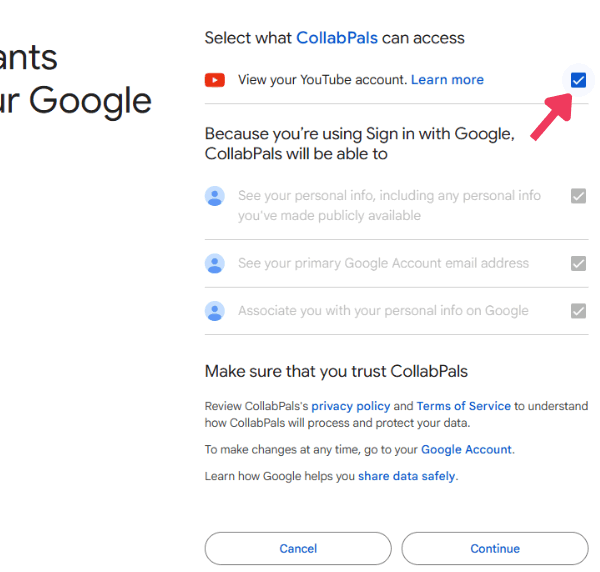
When you add it, Chrome shows a message that sounds broad. Here is exactly what it means, in plain words.
Chrome will say the extension can "read and change your data on youtube.com and studio.youtube.com." That phrasing is the same for every extension. Here is what it actually does:
- It only works on YouTube. It can act on YouTube and YouTube Studio pages and nowhere else. It cannot see your email, your bank, or any other website you visit.
- "Read" means it finds the right box. It needs to see the page so it can locate the Posts composer, the comment box, or the description field and place your shoutout in the correct spot.
- "Change" means it types into a box, and adds its own panels. It fills in your shoutout, and in YouTube Studio it can write a title or description into the field when you ask it to. It also adds its own CollabPals panels and badges to the page. It never posts, saves, or publishes anything. You do that.
- It does not read your private data. It does not read your watch history, your private videos, your account details, or any other website. It sends us only what a feature needs at the moment you use it, such as the title and description you asked us to improve, or which button you pressed so we can fix what breaks.
Your new tab page stays yours. The extension does not change it. Your channel dashboard opens when you click the CollabPals button in your toolbar.
This is the same kind of access a password manager uses to fill in a login form. You stay in control, and you can remove it from Chrome at any time.
Ready when you are
Free forever. No credit card. Add it in two clicks and the busywork is gone.
On your phone? Open this page on a computer to add it to your browser.