Free Word Cloud Generator
Paste any text or a YouTube link and get a word cloud in seconds. Pick a shape and colours, then download it.
- No sign-up
- Works with YouTube videos
- Text stays in your browser
The file is read in your browser. Nothing is uploaded to us.
Drawing your word cloud
No words yet. Paste some text above and your cloud will appear.
Tap or click a word to hide it.
Clear saves a see-through picture.
Which words count
Separate the words with commas.
Top words
The words will be listed here.
What Happened to Wordle and Tagxedo?
Wordle (the word cloud maker at wordle.net) and Tagxedo turned text into word clouds. Wordle's address now opens a word games site, and Tagxedo no longer loads.
If your page still links to either, point the link here instead. This generator does the same job, free and with no sign-up, and adds shapes and YouTube videos.
Frequently asked questions
What teachers and students ask most about making a word cloud.
Is the word cloud generator free?
Yes. It is free, with no sign-up and no limits. Teachers and students can make as many word clouds as they like.
Can I make a word cloud from a YouTube video?
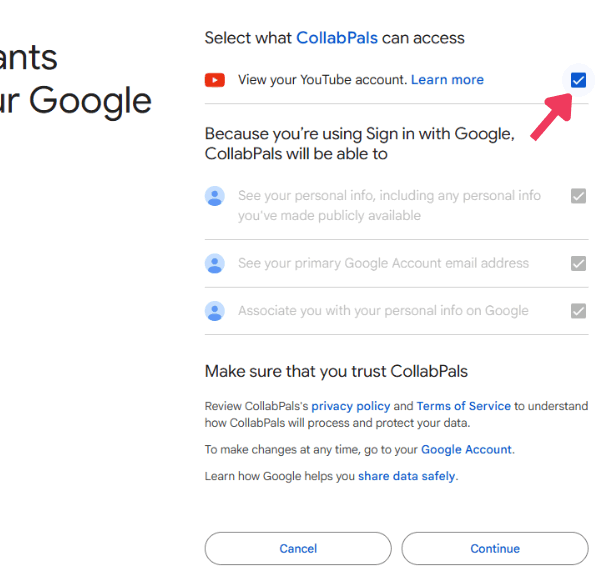
Yes. Paste the video link and we read its captions. Only the link is sent to us. A video with no captions cannot be used.
Which words are left out?
Common words such as “the” and “is” are left out, in English, Spanish, French, German and Portuguese. You can turn that off or add your own words to leave out.
Is it safe for students?
Yes. There is no sign-up and nothing is saved. Your pasted text and uploaded files never leave your own browser.
How do I put a word cloud in Google Slides or Docs?
Press Download PNG. In Slides or Docs, choose Insert, then Image, then Upload from computer. You can also press Copy image and paste it in.
Can I pick a shape?
Yes. Choose a cloud, circle, heart, star, square, triangle or diamond. The words fill the shape you pick.
More Free Tools
Safe YouTube Viewer
A clean link that plays only the video, for class.
Video Notes
Take notes beside a video, each one tied to its moment.
Transcript Generator
Get the full transcript of a video, with timestamps.
Citation Generator
Cite a YouTube video in APA, MLA, Chicago, Harvard, IEEE or BibTeX.
Embed Code Generator
Put a video on your site, starting and stopping where you choose.
Free Screen Recorder
Record your screen, voice and camera with no download.