Take Notes on YouTube Videos
Paste a YouTube or Vimeo link, or open a video from your device. Type as it plays, and every note keeps its moment. Press a time to jump back.
Example Press play, then type a note. Or open your own video above.
Big Buck Bunny
Notes
3 examples-
Type a note and press Enter. It is stamped with this moment.
-
Press a time to jump back to that moment.
-
Your notes save on this device as you type.
No notes yet. Type one above and press Enter.
Note deleted.
Share your notes with a class
Anyone with this link sees the video and your notes, and can press a time to jump there.
Your saved notes
Notes on this device, newest first. Open one to carry on.
Paste a YouTube or Vimeo link above and type notes as it plays. Each note keeps its moment, so one press takes you back there. Free, with no sign-up.
How to Take Notes on a YouTube Video
It takes three steps and works on a phone or a computer.
-
Paste the link
Paste a YouTube or Vimeo link into the box above and press Open video. Or press Open a video from your device.
-
Type and press Enter
Type a note under the video and press Enter. It is stamped with that moment, and the video waits while you type.
-
Jump back, keep or share
Press any time to jump back. Download or print your notes, or copy a link that shares them with a class.
Notes That Keep Their Moment
A note in a notebook loses its place in the video. Here every note carries the second you started typing it.
Press that time later and the video plays from there. Revising for a test or checking a quote takes one press, not a long scroll.
Keep up with fast talkers. Pause while I type stops the video on your first key and plays it again when you press Enter.
Share Notes With a Class
Press Copy link under Share your notes. Anyone who opens it sees the video with your notes beside it, and can press any time to jump there.
Students can keep their own copy and add to it. Teachers can post one link for a whole flipped lesson or study guide.
Your notes travel in the link itself. They are never stored on our side. A very long set will not fit, so press Download and send the file instead.
Download, Print or Copy Your Notes
Your notes save in this browser as you type. To keep them anywhere else, use one of the buttons under the list.
| Button | What you get |
|---|---|
| Download | A text file with the video's name, its link and every time with its note |
| A clean page of times and notes, or a PDF if you choose Save as PDF | |
| Copy all | The same list, copied and ready to paste into a document |
| Copy link | A link that opens the video with your notes beside it |
Who Uses Video Notes
- Students: notes on a lecture that jump back to each point
- Teachers: one link with the video and the questions for a class
- Researchers: mark each quote or moment in an interview video
- Video creators: log the cuts and fixes in a draft before editing
- Language learners: write new words beside the moment they are said
What Happened to VideoNot.es and Vialogues?
VideoNot.es let people type notes beside an online video. Vialogues let classes write timed comments on one. Both addresses no longer work.
If your page still links to either, point the link here instead. This page does the same job, free and with no sign-up.
Sources checked in November 2026: Google's YouTube player reference and Vimeo's player reference.
Frequently asked questions
What students and teachers ask most about taking notes on YouTube videos.
How do I take notes on a YouTube video?
Paste the link into the box above and press Open video. Type a note under the video and press Enter. Each note is stamped with the moment you wrote it.
How do I jump back to a moment in my notes?
Press the time beside any note. The video goes straight to that moment and plays from there.
Does the video pause while I type?
Yes, if you want it to. Pause while I type is on at first. The video pauses on your first key and plays again when you press Enter.
Where are my notes saved?
In this browser, on this device, as you type. Nothing is sent to us. Open the same video here again and your notes come back.
Can I download or print my notes?
Yes. Press Download for a text file with every time and note, or Print for a clean page. Copy all puts them on your clipboard.
How do I share my notes with a class?
Press Copy link under Share your notes with a class. Anyone who opens it sees the video and your notes, and can press a time to jump there. They can keep a copy too.
Can I take notes on my own video file?
Yes. Press Open a video from your device, or drop the file on the link box. It plays in your browser and is never uploaded.
Does it work with Vimeo videos?
Yes. Paste a Vimeo link and it opens the same way. Private Vimeo videos, and ones their owner keeps off other sites, will not play.
Can I take video notes on my phone?
Yes. Open this page on your phone, paste the link and type under the video. Tap a time to jump back.
What happened to VideoNot.es?
VideoNot.es was a free tool for taking notes beside online videos. Its address no longer works. This page does the same job free, with timed notes you can download or share.
What happened to Vialogues?
Vialogues let classes write timed comments on a video. Its site no longer works. Here a teacher can write timed notes and share them with the class in one link.
Is this video note taker free?
Yes, free with no sign-up and no limits. It runs in your browser and needs no account.
More Free Tools
Frame by Frame Player
Step through a video one frame at a time, slow it down or repeat one part.
Timestamp Link Generator
Share a link that opens a video at an exact moment.
Transcript Generator
Get the full transcript of a video, with timestamps.
Citation Generator
Cite a YouTube video in APA, MLA, Chicago, Harvard, IEEE or BibTeX.
Embed Code Generator
Put a video on your site, starting and stopping where you choose.
Thumbnail Downloader
Save any video's thumbnail in every size YouTube makes.
Grow together
Making your own videos? Team up with creators to reach a real audience.
Join 389,000+ creators teaming up with other YouTubers to grow their channels for free.
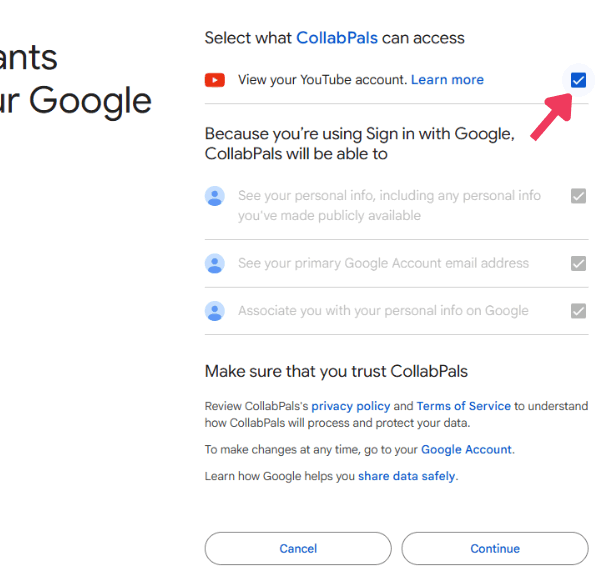
Join CollabPals freeFree account No credit card