YouTube Thumbnail Downloader
Paste a video link. Get its thumbnail in every size, up to HD, ready to save.
Example Paste a video link and its thumbnail appears here.
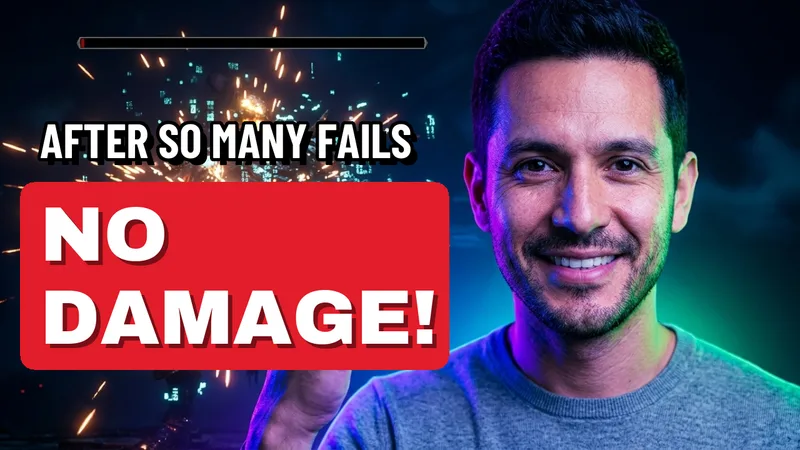
I Played the Scariest Game on Steam for 24 Hours
Every size
YouTube makes up to 5 sizes. The 2 biggest exist only for some videos. On a wide video, the 4:3 ones have black bars.
HD
Large
Medium
Small
Tiny
How it looks on YouTube
On the home page, then beside a video. Check it still reads when small.
Making your own thumbnail?
See it beside real videos first, then let real creators pick the one that gets the click.
A YouTube thumbnail downloader saves the picture YouTube shows for a video. Paste any video link to get every size it has, up to HD. Free, no sign-up, no watermark.
How to Download YouTube Thumbnails
You only need the video's link. Nothing to install and nothing to sign in to.
-
Copy the video link
From the address bar, or from Share under any video. Shorts links work too.
-
Paste it here
The thumbnail appears in a few seconds, with every size YouTube made for that video.
-
Press Download
The picture saves to your downloads as a .jpg. Or press Copy link to paste it anywhere.
YouTube Thumbnail Resolutions Explained
YouTube makes up to 5 standard sizes. The 3 smallest exist for every video. The 2 biggest exist only for some.
| Size | Pixels | Shape | Every video? |
|---|---|---|---|
| HD | 1280 x 720 | Widescreen | Only some |
| Large | 640 x 480 | 4:3, black bars | Only some |
| Medium | 480 x 360 | 4:3, black bars | Yes |
| Small | 320 x 180 | Widescreen | Yes |
| Tiny | 120 x 90 | 4:3, black bars | Yes |
On a wide video, the 4:3 sizes add black bars above and below. For a clean picture, take HD or Small.
How to Use the Thumbnail Downloader
- Study what works: save the thumbnails of the biggest videos in your niche and look for what they share.
- Keep your own: back up your old thumbnails before you change them.
- Many at once: paste up to 10 links and press Download all for one .zip file.
- Just the link: Copy link gives the picture's own address, ready for Canva, Figma or a slide.
Making your own? See it on YouTube first with the Thumbnail Previewer, then let real creators pick a winner in the Thumbnail Tester.
YouTube Display Preview
Every thumbnail you get here is also shown as a YouTube home page card and as a smaller card beside a video. That is the size most people see it at, so check it still reads when small.
- Few words: 3 or 4 big words still read on a phone.
- One face or one object: small details vanish at card size.
- Clear corners: YouTube puts the video length in the bottom right, over the picture.
Is It Legal to Download YouTube Thumbnails?
Saving a thumbnail to study, research or learn from is generally fine. The picture still belongs to the creator who made it.
- Fine: studying it, keeping your own, showing it in a review with credit.
- Not fine: posting it as your own thumbnail, or using it in ads without permission.
When in doubt, ask the creator, and always credit them when you share it.
Frequently asked questions
What people ask most about YouTube thumbnails.
How do I download a YouTube thumbnail?
Paste the video link into the box and press Get thumbnail. The biggest size appears with a Download button. Every other size is listed under it. No sign-up and no watermark.
What sizes do YouTube thumbnails come in?
Up to 5: HD (1280 x 720), Large (640 x 480), Medium (480 x 360), Small (320 x 180) and Tiny (120 x 90). The 3 smallest exist for every video. The 2 biggest exist only for some.
Why is there no HD thumbnail for some videos?
YouTube makes the 1280 x 720 picture only for some videos, often older or low quality uploads. When a video has none, we mark it and offer the biggest size it does have.
Can I download a YouTube Shorts thumbnail?
Yes. Paste the Shorts link. You get the same sizes as any other video. They are wide pictures, so a Short often shows with dark bars on the sides.
Can I download many thumbnails at once?
Yes. Press Get many at once and paste up to 10 links, one per line. Download each one, or press Download all to get them in one .zip file.
Is it legal to download YouTube thumbnails?
Saving one to study, research or learn from is generally fine. The picture still belongs to its creator, so do not post it as your own or use it in ads without permission. Credit the creator when you share it.
How do I see how a thumbnail looks on YouTube?
Every thumbnail you get here is shown on a YouTube home page card and beside a video, at about the real size. To try your own picture and title first, use the free Thumbnail Previewer.
Which YouTube links work?
Watch links, youtu.be short links, Shorts, live and embed links, links from the phone site, and the 11-character video ID on its own.
Can I copy the picture link instead of downloading?
Yes. Press Copy link next to any size to copy its direct address on YouTube. Paste it into Canva, Figma, a blog post or a slide.
Does it add a watermark or change the picture?
No. You get YouTube's own file, exactly as YouTube stores it.
Does it work on my phone?
Yes. It works in any phone browser. The picture saves to your downloads, and from there you can move it to your photos.
More Free Tools
Thumbnail Previewer
See your thumbnail beside real videos before you post.
Thumbnail Tester
Real creators vote on which thumbnail gets the click.
Image Size Guide
Every YouTube picture size, from thumbnail to banner.
Banner Maker
A finished channel banner at every screen size.
Title Generator
Titles built from formulas that already get clicks.
Tag Generator
Tags from what people really search on YouTube.
Data Viewer
Upload date, views and tags of any video.
Subtitle Downloader
Save any video's captions as a file.
Channel Name Generator
Name ideas you can check are free on YouTube.
Engagement Rate Calculator
How your likes and comments compare in your niche.
Subscribe Link Generator
A link that asks people to subscribe in one press.
Money Calculator
What your views could earn from ads and brand deals.
Grow together
Great thumbnails get the click. Real creators help your videos get seen.
Join 389,000+ creators who grow together with free collaborations and shoutouts.
Join CollabPals freeFree account No credit card