YouTube Subtitle Downloader
Paste a YouTube link. Save its subtitles as .srt, .vtt or .txt, in any language the video has.
Example Paste a link and its subtitles appear here, ready to download.

Me at the zoo
Works in every video editor and player, and uploads to YouTube.
6 linesUploaded captions1 KB
First lines of the file
1
00:00:01,200 --> 00:00:03,360
All right, so here we are, in front of the elephants

2
00:00:05,318 --> 00:00:07,974
the cool thing about these guys is that they have really...

3
00:00:07,974 --> 00:00:12,616
really really long trunks

4
00:00:12,616 --> 00:00:14,367
and that's cool

5
00:00:14,421 --> 00:00:15,733
(baaaaaaaaaaahhh!!)

6
00:00:16,881 --> 00:00:18,881
and that's pretty much all there is to say
Each language is one lookup. You can do about 30 an hour.
Want to read or search the words instead? Open the Transcript Generator
Paste a YouTube link above to save its subtitles as an .srt, .vtt or .txt file, in any language the video has. Free, no sign-up.
How to Download YouTube Subtitles
It takes a few seconds, and nothing to install.
-
Copy the video's link
From your browser's address bar, or from Share under the video in the YouTube app.
-
Paste it into the box
The subtitles appear as soon as you paste, with the video's title and picture.
-
Pick a language and format, then download
The file's first lines show before you save, so you know exactly what you get.
Subtitle File Formats Explained
- .srt (SubRip): the most common subtitle file. Every major video editor and player opens it.
- .vtt (WebVTT): the subtitle file video players on websites use.
- .txt (plain text): every line with its time, for reading, notes or a blog post.
SRT vs VTT vs TXT: Format Comparison
| Format | Best for | Opens in |
|---|---|---|
| .srt | Video editing, and the safest pick | Premiere Pro, DaVinci Resolve, VLC, YouTube |
| .vtt | Video players on websites | Every web video player, YouTube |
| .txt | Reading, notes, blog posts | Any text app, but not as subtitles |
SRT vs VTT: Which Format Should You Choose?
Pick .srt for a video editor, a desktop player like VLC, or an upload to YouTube or another video site.
Pick .vtt for a video on your own website, or a web player that asks for it.
Not sure? Pick .srt. Almost every video tool opens it, and both hold the same words and times.
Download Several Languages in One .zip
When a video has two languages or more, press Save several languages in one .zip under the file. Tick the ones you want and press Download.
- One lookup each: you can do about 30 an hour
- One at a time: the page fetches them in turn, and says which are left
- Clear names: the video's title and the language, with -auto on YouTube's automatic ones
Why Download YouTube Subtitles?
- Caption your own video: start from your own subtitles instead of typing them again
- Translate it: translate the file, then upload it as a new language
- Study: keep a lecture's words to read and search offline
- Reuse it: turn a video into a blog post, a newsletter or social posts
- Research: see the words top videos in your niche use
Want to read the words on the page instead? The Transcript Generator shows them with times and a search box.
Supported Video Types
Videos, Shorts and live replays all work, if they have captions on YouTube. Paste any of these links, or the 11-character video ID on its own.
- Watch link: youtube.com/watch?v=ID
- Short link: youtu.be/ID
- Shorts: youtube.com/shorts/ID
- Live: youtube.com/live/ID
- Embed: youtube.com/embed/ID
Nothing is posted to any YouTube channel, and you need no account. The subtitles come from the captions YouTube already shows under the video.
Frequently asked questions
What people ask most about downloading YouTube subtitles.
How do I download YouTube subtitles?
Paste the video's link into the box above. Pick a language and a format, then press Download. It is free, with no sign-up and nothing to install.
What subtitle file formats can I download?
Three: .srt, which every video editor and player opens; .vtt, which video players on websites use; and .txt, plain text with the time on every line.
What is the difference between SRT and VTT?
Both hold the same words and times. SRT opens in almost every editor and player. VTT is the format video players on websites use. Not sure? Pick SRT.
Can I download subtitles in several languages at once?
Yes. When a video has two languages or more, press Save several languages in one .zip. Tick the ones you want, and they download together in one file.
Does it download YouTube's automatic subtitles?
Yes. It downloads the captions the channel uploaded and the ones YouTube made automatically. Automatic ones are marked, and their file names end in -auto.
Is this YouTube subtitle downloader free?
Yes. It is free, with no sign-up and no account. Each video or language is one lookup, and you can do about 30 an hour.
Why does a video have no subtitles?
The channel may have turned captions off, or YouTube has not made automatic ones. That is common for music, videos with no talking and brand new uploads. Private videos cannot be looked up.
Can I use the subtitles in my video editor?
Yes. Download the .srt file and import it into Premiere Pro, DaVinci Resolve, Final Cut Pro, CapCut or most other video editors.
What YouTube links work?
Watch links, youtu.be short links, Shorts, live and embed links, and old /v/ links. The 11-character video ID on its own works too.
Can I see the subtitles before I download them?
Yes. The file's first 10 lines show under the Download button, in the format you picked, so you know exactly what you get.
Does it work for Hindi, Spanish and other languages?
Yes. It offers every language the video has captions in, such as Hindi, Spanish, Portuguese or Japanese. Pick one from the Language list.
Can I download subtitles from Shorts and live streams?
Yes, when they have captions on YouTube. Shorts and finished live streams work just like any other video.
How is this different from DownSub or SaveSubs?
No extension and nothing to install. Paste a link, see the first lines, then save .srt, .vtt or .txt. Several languages download together in one .zip.
More Free Tools
Transcript Generator
Read every word of a video, with times and a search box.
Video Length Finder
Any video's exact length, and how long it takes at 2x.
Thumbnail Downloader
Save any video's thumbnail, in every size YouTube has.
Embed Code Generator
Put a YouTube video on your site, starting where you choose.
Thumbnail Previewer
See your thumbnail on YouTube's pages before you post.
Title Generator
Titles that make people want to click, for your next video.
Description Generator
A full video description, with the parts viewers look for.
Tag Generator
Tags from what people really search for on YouTube.
Keyword Research
The words people search for in your niche, and how often.
Grow together
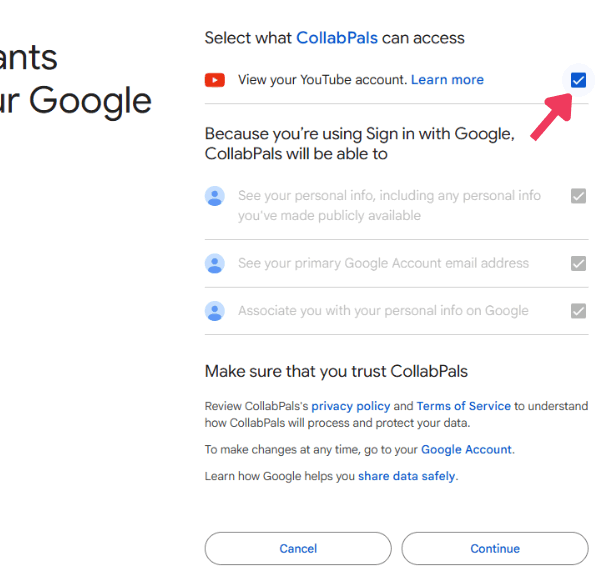
Subtitles help people read your video. Real creators help you get seen.
Join 389,000+ creators teaming up with other YouTubers to grow their channels for free.
Join CollabPals freeFree account No credit card