YouTube Description Generator
Type your topic and the opening writes itself. Add chapters, links and hashtags, then copy. Or let AI write three.
Fill a template
Format
Parts to include
Shorts skip chapters and the longer parts.
Fill in each part
In the order they show on YouTube. Move any part up or down.
Opening
Viewers see the first lines before they press more. Aim for 150 characters that say what they get.
Chapters
One per line: a time, then a name. Start at 0:00 and add at least 3, each 10 seconds or longer.
Key points
What viewers will learn or see, one point per line.
Links
Fill only the ones you use. Empty ones are left out.
Links in a Short's description cannot be clicked. Put them in your channel's About instead.
Ask viewers
Hashtags
Three to five works best. YouTube can show up to 3 by your title.
About the channel
Credits
Music, footage or people to credit, with links where the license asks for one.
Disclaimer
Resources
Your description
Your video title
Just now
0 of 5,000 characters
Want people watching when it goes live?
Add your video to Community Watch, long or Short, and real creators watch it.
Real creators watch your video on Community Watch.
Add a videoFree account No credit card
Write it with AI
A sentence or two works best. At least 10 characters.
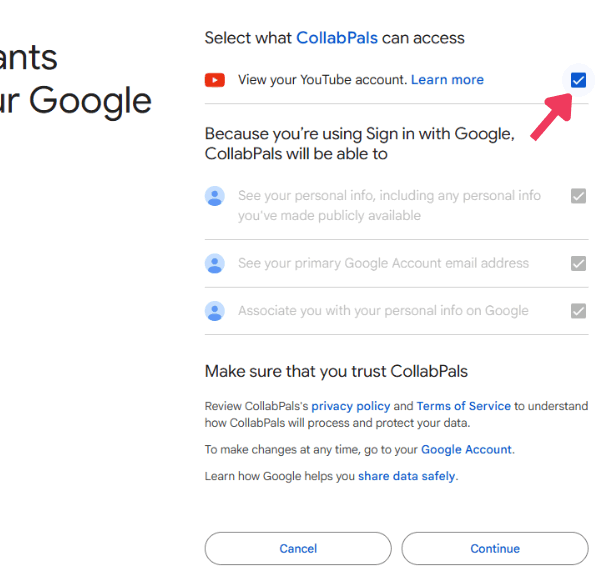
Free with a Google sign-in No credit card
What AI writes for a baking video
ExampleHow to Bake Sourdough Bread at Home
Just now #sourdough #baking #breadrecipe
Learn how to bake sourdough bread at home with just flour, water and salt. I walk you through every step, from feeding the starter to the first slice.
0:00 What you need
1:12 Feeding the starter
4:30 Mixing and folding
9:05 Shaping the loaf
12:40 Baking and the first slice
If this helped, subscribe for a new recipe every week. What should I bake next? Tell me in the comments.
#sourdough #baking #breadrecipe
Change the chapter times to match your video.
Want people watching when it goes live?
Add your video to Community Watch, long or Short, and real creators watch it.
Real creators watch your video on Community Watch.
Add a videoType what your video is about. The free template writes your opening and ask, holds your chapters, links and hashtags, and checks them against YouTube's rules. Or sign in with Google and let AI write three.
How to Use the YouTube Description Generator
Four steps, all in your browser. The template sends nothing anywhere.
-
Type your topic
Say what the video is about in a few words, then pick the kind of video. Your topic fills in the opening.
-
Pick the parts you want
Opening, chapters, links, an ask and hashtags start on. Add key points, credits, resources or a disclaimer with one tap.
-
Write each part
Write your opening, add chapter times and paste your links. Move any part up or down to change the order.
-
Check it, then copy it
The preview shows it the way YouTube does. Fix what the checks flag, copy it and paste it into YouTube Studio.
The First 150 Characters Are Everything
Viewers see only the first few lines until they press more. YouTube gives no exact count, so 150 characters is a safe length to aim for.
- Lead with your topic: use the words people type into search, in your first sentence.
- Say what they get: one clear promise, like a recipe in 10 minutes or the fix for one error.
- Skip the hello: "Welcome back to my channel" spends the only part most viewers see.
Watch the counter. The opening counts up to 150 as you type, and a check flags it when your topic is missing from that stretch.
YouTube Description Template: What Goes in Each Part
A full description can run to 5,000 characters. Most good ones use five parts.
- Opening: what the video is about, in search words, in one or two sentences.
- Chapters: times with names so viewers can jump. Start at 0:00, add at least 3 in order, each 10 seconds or longer.
- Links: your other channels, your website, or a product you mention in the video.
- One ask: subscribe, comment or watch next. One clear ask beats five small ones.
- Hashtags: 3 to 5 that fit. YouTube can show up to 3 by your title.
Add credits for music you used, sources for facts, and a disclaimer for affiliate links or sponsors. Build chapters from your edit with the Chapter Generator.
YouTube Shorts Descriptions: Different Rules
Viewers see a Short's description only if they open it, so keep it short and useful.
- One line: say what happens in the Short, in the words people search.
- Hashtags: 3 to 5 that fit the topic, the same rules as long videos.
- No links: links in Shorts descriptions stopped being clickable on August 31, 2023.
Pick Short at the top. The template drops chapters and the long parts, and keeps a disclaimer for sponsored Shorts.
Template or AI: Which to Use
Both are free. Pick the one that fits how much you already know.
- Fill a template: no sign-up and no limit. Best when you know your chapters and links. Nothing leaves your browser.
- Write it with AI: three different descriptions from your topic, tone and search words. Free with a Google sign-in, a few times a day.
Either way, read it before you post. You know what is in the video, and the AI only knows what you typed.
Common YouTube Description Mistakes
The checks with the preview catch the first four for you.
- Broken chapters: a first time other than 0:00, fewer than 3, or one under 10 seconds, and YouTube shows no chapters.
- Too many hashtags: over 60 and YouTube ignores every one. It also warns that too many can remove a video from search.
- Angle brackets: YouTube refuses the < and > signs, even in a heart typed as <3.
- Blanks left in: a template line still holding [game name] looks unfinished to viewers.
- A wall of keywords: a list of search words reads as spam to viewers. YouTube's advice is 1 or 2 main words, used in the title and the description.
Next, write the title with the Title Generator, then score the whole upload with the Video SEO Checker.
Frequently asked questions
What people ask most about YouTube descriptions.
How do I write a good YouTube description?
Say what the video is about in the first 150 characters, in the words people search. Then add chapters, your links, one ask and 3 to 5 hashtags.
Is the YouTube Description Generator free?
Yes. Filling a template is free with no sign-up and no limits. Writing with AI is free with a Google sign-in, a few times a day.
How long can a YouTube description be?
Up to 5,000 characters. Viewers see only the first few lines before they press more, so put the point in the first 150 characters.
What should I put in a YouTube description?
An opening that says what viewers get, chapters, your links, one ask such as subscribe or comment, and 3 to 5 hashtags. Add credits or a disclaimer when you need them.
Does the description help a video rank on YouTube?
It helps YouTube and Google understand what the video is about, so it can show up in more searches. The title and thumbnail still decide most clicks.
How do I add chapters to a YouTube video?
List times in the description, each with a name, starting with 0:00. You need at least 3, in order, and each chapter must be at least 10 seconds long.
How many hashtags should a YouTube video have?
Three to five. YouTube can show up to 3 by your title. With more than 60, YouTube ignores every hashtag on the video.
How do I write a description for a YouTube Short?
Keep it short: one line on what happens, then 3 to 5 hashtags. Links in Shorts descriptions cannot be clicked, so leave them out.
Why does YouTube say my description has invalid characters?
YouTube refuses the < and > signs in descriptions, so even a heart typed as <3 is blocked. The checks here flag them before you paste.
Does the generator save my description?
Yes, in this browser only. When you fill a template nothing is sent anywhere. Writing with AI sends your topic and choices so the AI can write.
Can it write my channel description too?
This tool writes one video's description. CollabPals members can have a channel description written from their own videos in Studio, free.
More Free Tools
Title Generator
Titles that make people want to click, written from your topic.
Tag Generator
Tags for your video from what people search on YouTube.
Hashtag Generator
Hashtags that fit your video or Short.
Chapter Generator
Chapters for your description, checked against YouTube's rules.
Video SEO Checker
Score your title, description and tags before you publish.
Transcript Generator
The words of any YouTube video, with times.
Thumbnail Previewer
See your thumbnail beside real videos before you post.
Upload Checklist
Every step to finish before you press publish.
Grow together
Description done? Real creators help you get the video watched.
Join 390,000+ creators who grow together with free collaborations and shoutouts.
Join CollabPals freeFree account No credit card